
Searching Cases by Name
New Mexico's free public tool is the New Mexico Case Lookup. It pulls case information from participating appellate, District, Magistrate, Metropolitan, and Municipal courts. The legacy instructions call for names entered as last, first, middle. Skip commas, and skip periods after initials. Add a second field for common names. A court type, a location, or a filing-date range narrows things down fast.
- Open Case Lookup and select Name Search.
- Enter the last name, then the first name if it is known.
- Use the correct court type and location after identifying the likely filing court.
- Apply a narrow filing or hearing-date range when it helps distinguish records.
- Open the matching result and compare case number, parties, case type, filed date, and location.
| Field Label | Type | Required | Notes |
|---|---|---|---|
| Name | Text | No published universal requirement | Last, first, middle; more fields narrow results. |
| Court Type | Dropdown | Optional | Choose only after identifying the court that likely filed the case. |
| Court Location | Dropdown | Optional | Options were not exposed in the inspected legacy text. |
| Date Range | Date controls | Optional | Can limit by filing date or hearing date. |
Roosevelt Case Lookup First
Start with Case Lookup. Roosevelt County has no public docket portal of its own. This free state search is the first stop for a District or Magistrate court docket. No registration is needed. You get redacted case information, not the filed documents themselves. The case location shows which clerk to call. That may be the Roosevelt County District Court Clerk's Office, the Magistrate clerk, or a municipal clerk.
The court's own public-access material draws a line between the free search and registered access. It also notes that public Case Lookup results hide personal identifiers. These include Social Security numbers and address information.
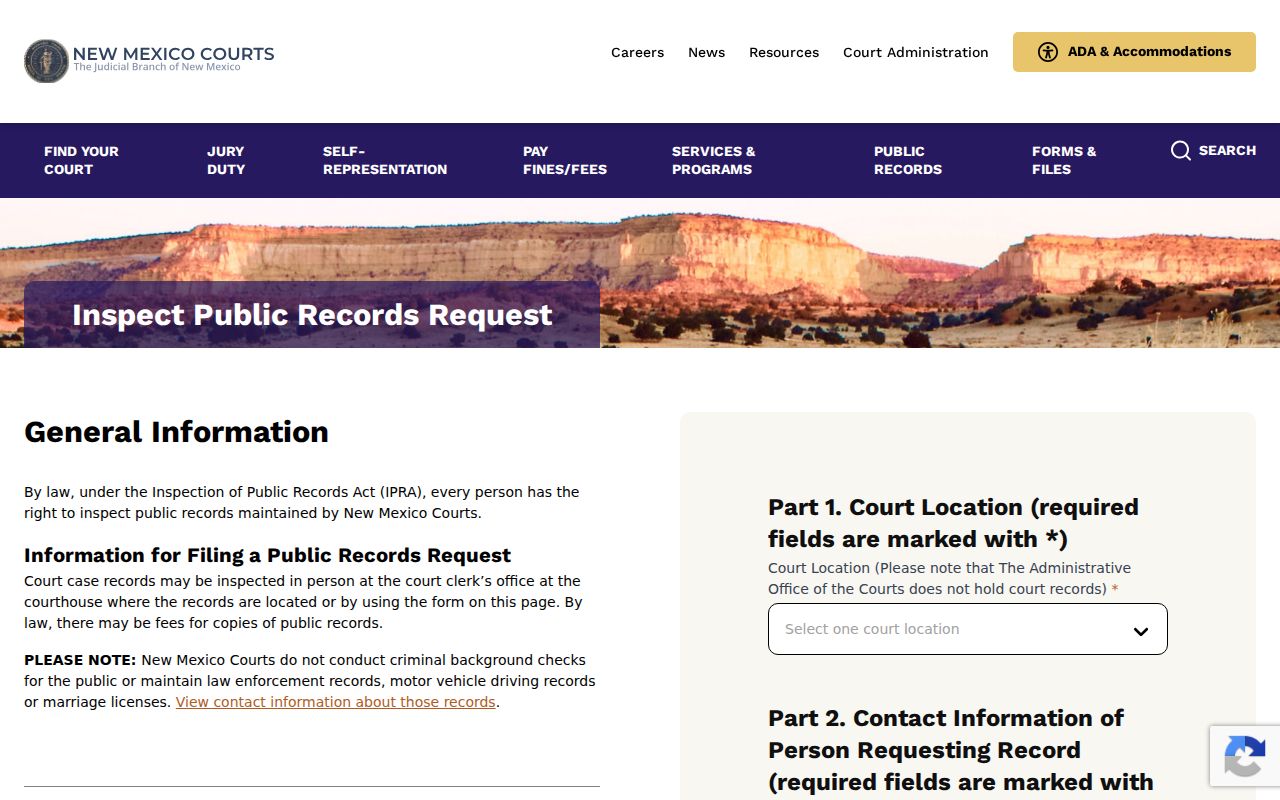
Sometimes the public case result does not include a record that the filing court can release. When that happens, the state court records-request portal is the next documented route for a Roosevelt County case lookup.
Searching by Case Number
A complete case number is the strongest key for any Roosevelt County docket search. The legacy format has four parts. Those are court type, court location, case category, and a year or sequence segment. D-101-CR-200600001 shows the pattern. Here D stands for District and CR means criminal. One caution, though. Never infer Roosevelt's current location code from an example tied to a different district.
The Case Lookup instructions list the court-type codes. D means District, M Magistrate, U Municipal, and T Metropolitan. Category codes include CR for criminal, TR for traffic, and CV for civil. If you do not know the number, run a name search with the right court filter. Do not guess a full case number.
Roosevelt Case Court Codes
The court-type code shows the venue. Roosevelt County District Court handles felonies after bind-over or indictment, general civil matters, domestic relations, juvenile and mental-health matters, and lower-court appeals. The Magistrate Court docket covers preliminary hearings, misdemeanors, DWI/DUI, and traffic. Limited civil cases sit there too. Portales and Elida municipal courts each keep their own records. They cover ordinance violations, petty misdemeanors, DWI/DUI, and traffic.
This split is what the location field means. A Portales traffic citation may sit in Magistrate Court or in Municipal Court. Pick only District Court in a search and you can get a blank result even though a valid local case exists. So match the court before searching the criminal docket.
- D
- District Court identifier in the legacy case-number model.
- M
- Magistrate Court identifier.
- U
- Municipal Court identifier.
- CV, CR, TR
- Civil, criminal, and traffic categories.
What a Case Search Returns
A Roosevelt County case search returns more than a name. Expect the title and case number. Location, case type, parties, attorneys, judicial officer, and the case-filed date come too. Open a Case Details view. You may see status, description, category, judge, and related cases there. Hearings, events, and filings can appear in the court record as well. One caution. A public result is a case-information record only. It does not promise that the whole court file or every document image is available.
| Case Number | The system’s multi-part identifier, searchable without relying on a guessed local code. |
|---|---|
| Style / Parties | The case title and listed party roles. |
| Case Type | Category and more specific type where shown. |
| Filed Date | The date the case opened, not necessarily the date of a hearing. |
| Status | Open, Closed, or Unknown; the event history supplies needed context. |
| Related Cases | Linked matters and a relationship reason when the case record provides one. |
Roosevelt re:SearchNM Filters
re:SearchNM is the registered Odyssey interface for wider case information and documents. It is tied to your user profile. Its guide walks through Quick Search plus Basic and Advanced Search. Modes cover Cases, Hearings, and Filings. Some access-dependent subscriptions add searches for text inside documents. A keyword can be a case number, a party, an attorney, an attorney number, or a location.
The advanced filters run deep. You can narrow by location, case category, case type, status, and filed-date ranges. Per the guide, case-number searches skip the fuss. No dashes, leading zeros, or capital letters are required. Save exact phrases in quotation marks. Use Boolean operators and the ending wildcard once you already grasp the broader result set. Whatever comes back still respects the access level and security assigned to that case.
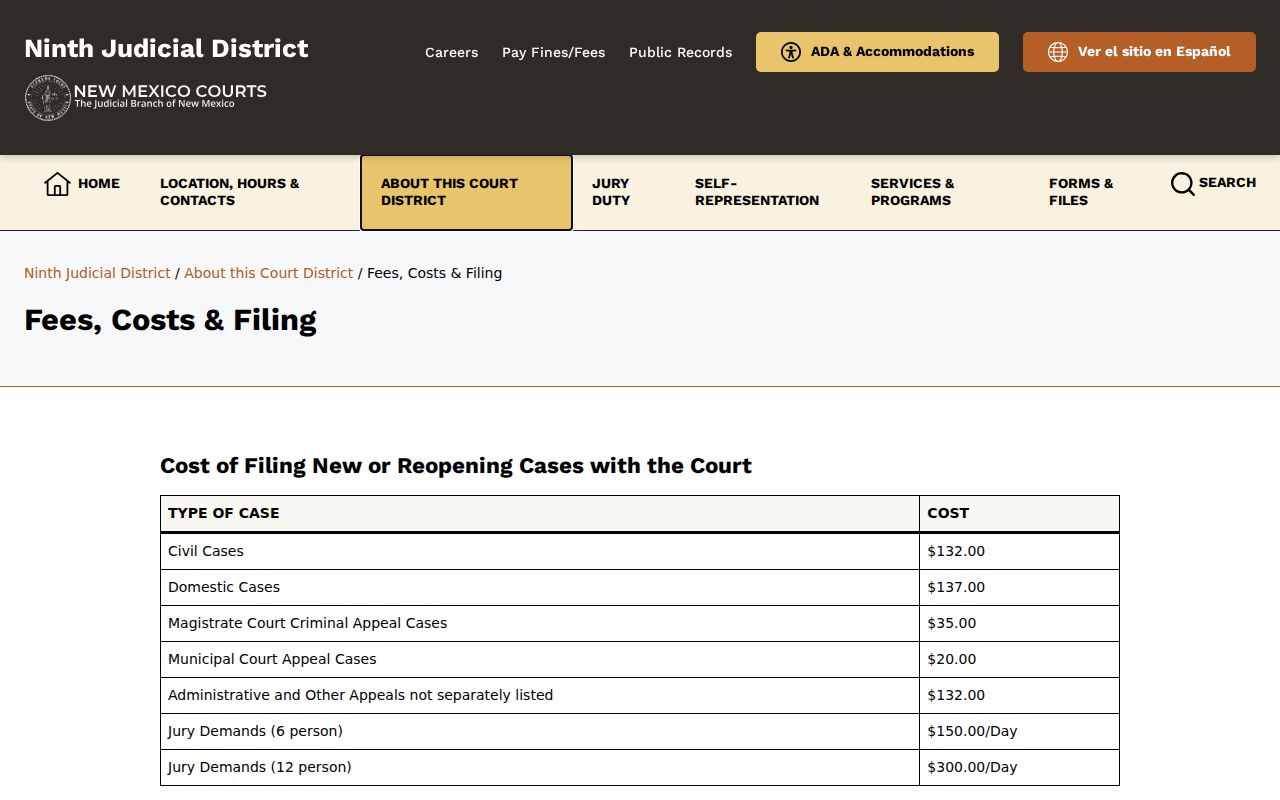
Need a certified District Court record? The District clerk is one documented copy channel, and the Ninth court records path is the other. The public search display is not.
Statewide vs County Case Search
Roosevelt County has no separate public docket portal of its own. The statewide layer is New Mexico Case Lookup. It serves public case information across the state. Need inspection, copies, or answers about a particular Roosevelt County file? The clerk holding that record is the local source. The Ninth District docket pages offer a third channel of sorts. They post near-term District and Magistrate schedules rather than case searches.
| New Mexico Case Lookup | Local filing court |
|---|---|
| Free public case information across participating state courts. | Original file, inspection route, and copy or certification request. |
| Name and case-number searching with public redactions. | District, Magistrate, or municipal venue-specific record routing. |
| Does not provide filed documents. | Can explain procedures for releasable records and court-specific access. |
Roosevelt Events and Filings
In re:SearchNM, the docket history is built from events and filings. A filing summary gives you just a one-line description. Open the event itself. You may find hearing entries, filed documents, criminal charges, linked cases, and security notes. Dates deserve care here. An event date is not the date the case was filed. A hearing date on the Roosevelt County court docket is not a final result. It only tells you a setting was scheduled. Read the wording of each entry before drawing conclusions about where a case stands.
The public Case Lookup portal requires JavaScript. It shows a support ID and an image captcha, and ends with a submit control. If it will not load for you, do not try to defeat the captcha. Come back to the official interface later. Check the court calendar for a near-term hearing date, or call the clerk about anything tied to the filing court.
Access and Restricted Cases
New Mexico court records are public. That holds unless a judge seals them or a rule protects them. Even so, what you see online can be narrower than what you could inspect at the courthouse. Case Lookup serves up redacted public records. re:SearchNM controls access by user profile. A gavel icon usually means the person currently logged in cannot open that case or document. It does not mean the case is closed to everyone. That is an access state only. It says nothing about how the case ends.
Juvenile criminal cases are not displayed by the Judiciary at all. Family Violence Protection Act order cases stopped appearing in the public-access materials too. Guardianship, conservatorship, adoption, abuse or neglect, family-services, and mental-health records can carry stricter confidentiality layers. And a blank result in a Roosevelt County docket search is not proof of nothing. It can reflect a wrong venue. It could be a spelling or date mismatch, a sealed matter, or a pre-1997 gap.
Roosevelt Missing Search Results
For anything dated before 1997, online records may or may not exist. The public-access material says such records should be requested from the court itself. Missing a District or Magistrate record? Contact the filing court. Or file the New Mexico Courts IPRA form, choosing Ninth Judicial District and describing the record with reasonable particularity. The form wants your contact information. It also asks for a case number if you have one, and a short description of what you need.
Portales and Elida municipal data is also thin in public Case Lookup. Older municipal coverage is especially sparse. Call Portales Municipal Court at 575-356-4923 for a local file there. Elida Municipal Court takes calls at 575-274-6442. The clerk can walk you through the proper procedure. Treat a blank statewide result as a lead, not a verdict.
Portales is the county seat, yes. But the court location listed in the case record is what tells you which clerk actually holds the file you want.
Roosevelt Case Search Routing
Route any search result to the court that filed the case in the first place. Roosevelt County District Court records sit with the Ninth Judicial District clerk structure at 109 W. First Street, Portales, 575-359-6920. Roosevelt County Magistrate Court keeps its own records at 1630 N. Boston Avenue, 575-356-8569. The elected Roosevelt County Clerk is a separate office entirely. That office holds County Probate and county-government records. Both clerks sit in Portales, but they are not interchangeable.
Say an online docket search identifies a District or Magistrate case yet offers no releasable document. Your documented options are inspection at the court. A phone call to the correct clerk, or a specific state court records request, also works. The Ninth District records instructions also publish a mail route: Ninth Judicial District Court, Attn: Records Custodian, 700 N. Main St., Clovis, NM 88101. Whatever you request, name it clearly. Identify the docket, event list, filing, judgment, order, or audio record with reasonable particularity. Include the case number if you know it.
None of these channels gets around an access restriction. A sealed case, a confidential document, or a protected identifier stays subject to the court's access rules. That is true no matter how you ask. The practical move is to ask the filing clerk which procedure fits your record type. They can tell you where your request goes. It may be a court reporter, an audio-records service, or the clerk copy process. Ask before you mail anything, and the docket request lands in the right hands the first time.